If there is problem with touch screen response, do the following test to confirm if the problem is hardware related.
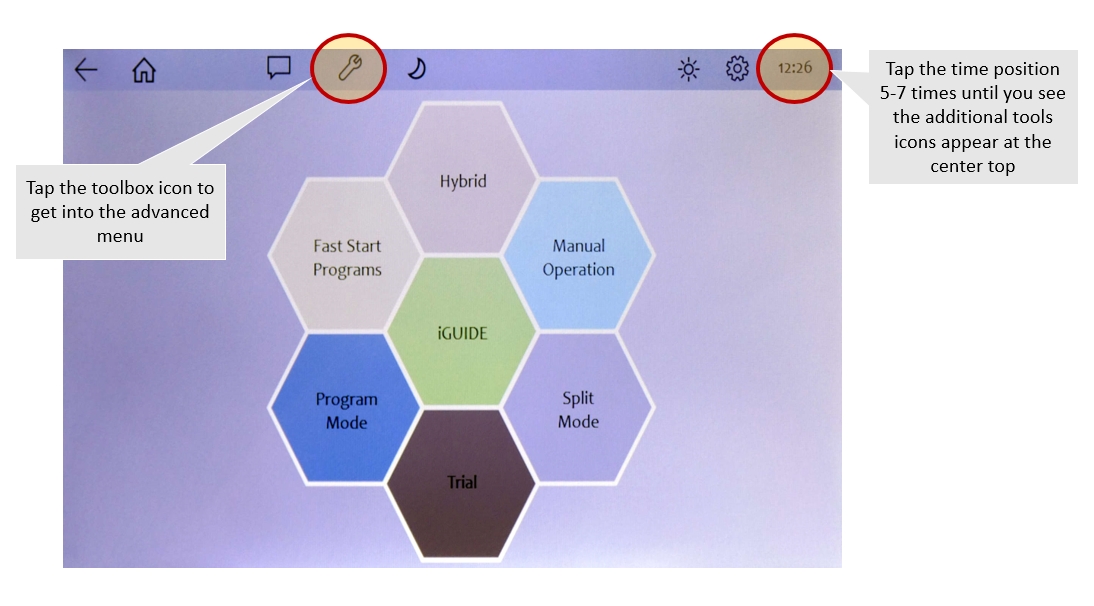
Go to Advanced Menu Setting
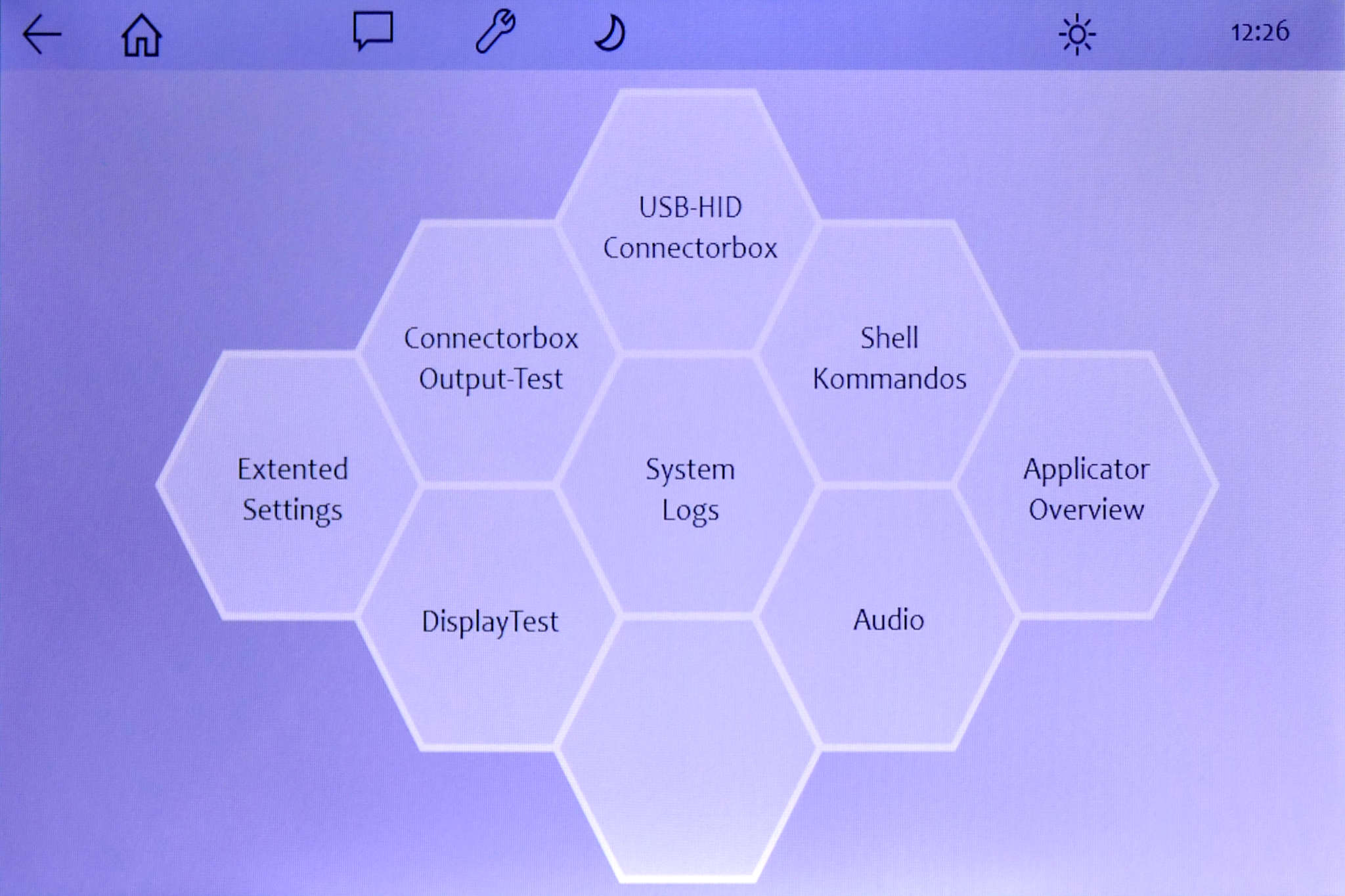
2. Select DisplayTest
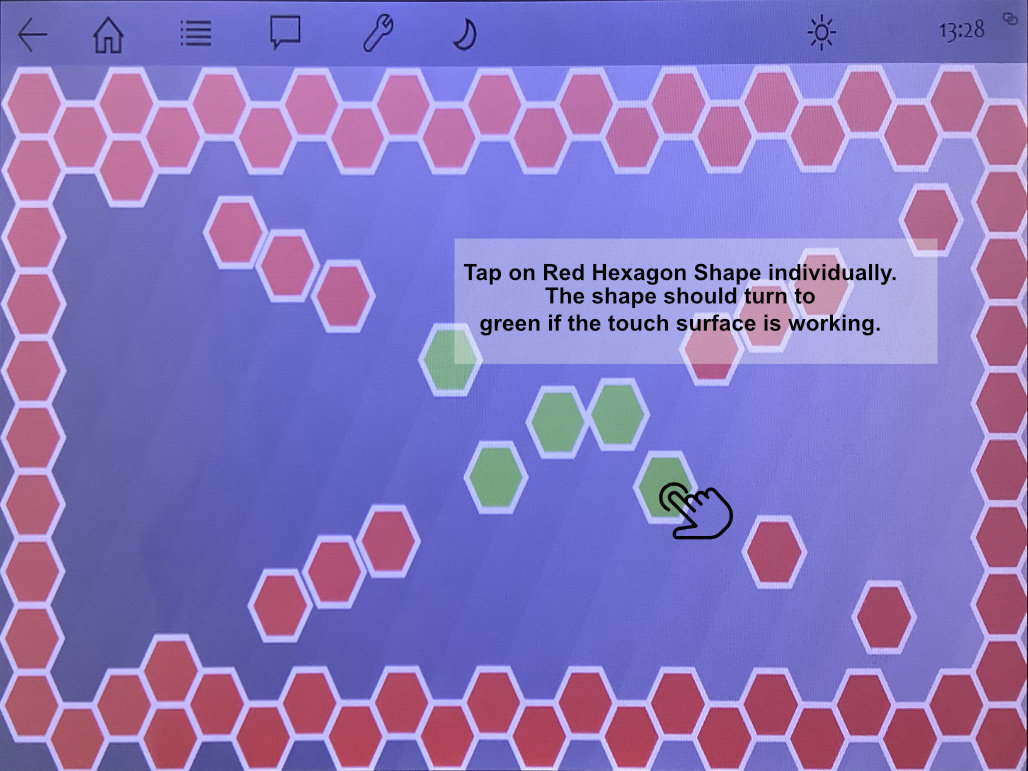
3. You will see a series of red hexagon button layout throughout the screen. Tap/slide your finger to touch the red hexagon button, so it will turn green. If the button turns green, then it shows the touch button area is working good. If it does not response to your touch, this may indicates a hardware issue. Contact customer services for further assistant in this case.