
How Can We Help?
Following details the payment steps you will go through. Slight variation on user interface is expected depending on which country you are located in.
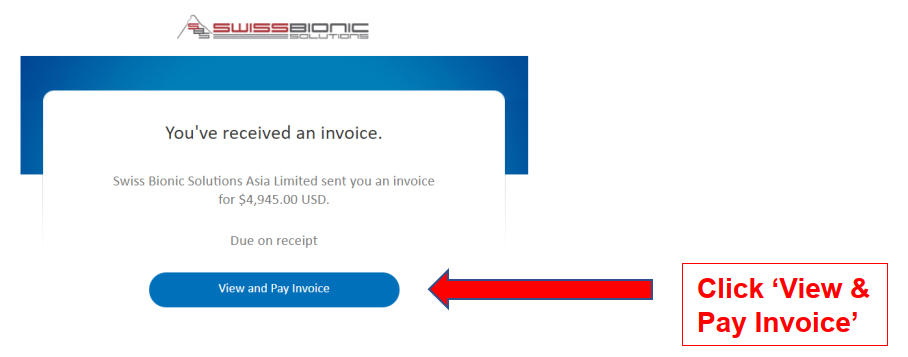
Step 1: You will receive an email from Swiss Bionic Solutions Asia
Limited (via PayPal) as below:
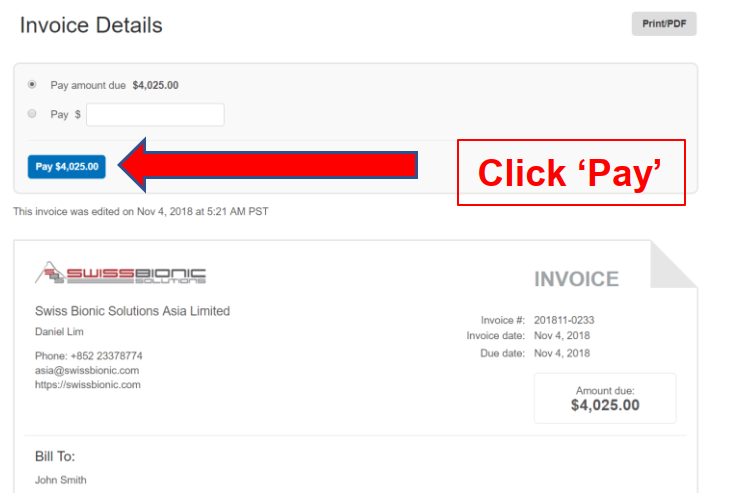
Step 2: Another tab on the browser will open as below. You are also allowed to make multiple payments using different credit cards, by choosing the second option: just key in the amount you wish to make. After completion of the payment, you can revisit the e-invoice link and you will be presented with the outstanding amount.
Step 3: You will then see two payment options:
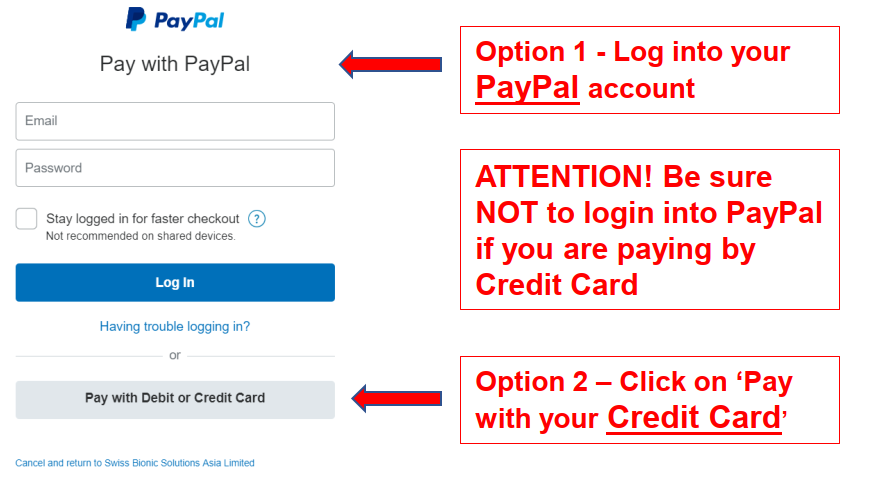
Option 1: Pay using PayPal.
Use this method if you already have a PayPal account. Otherwise choose Option 2 for payment using any credit/debit card supported.
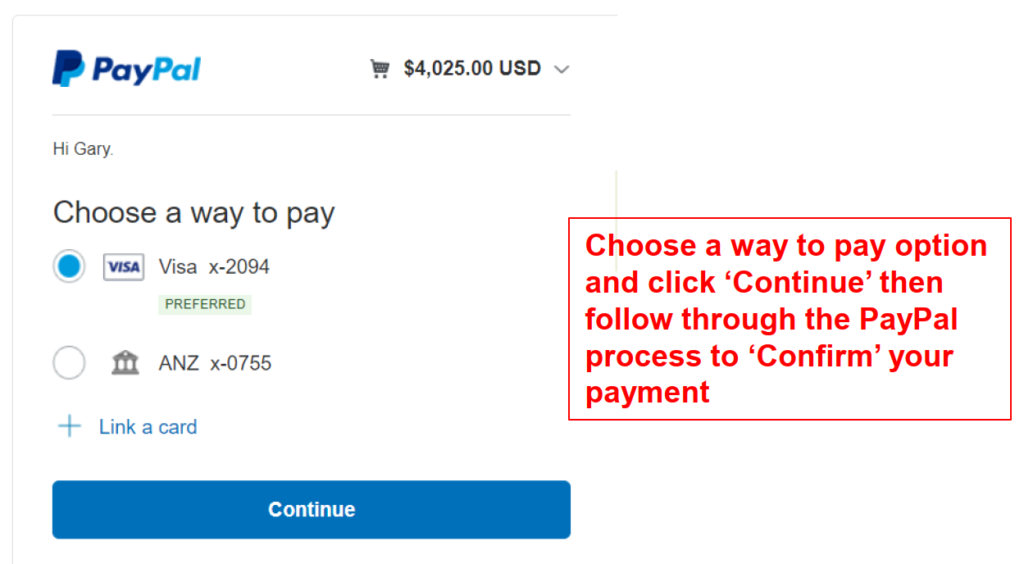
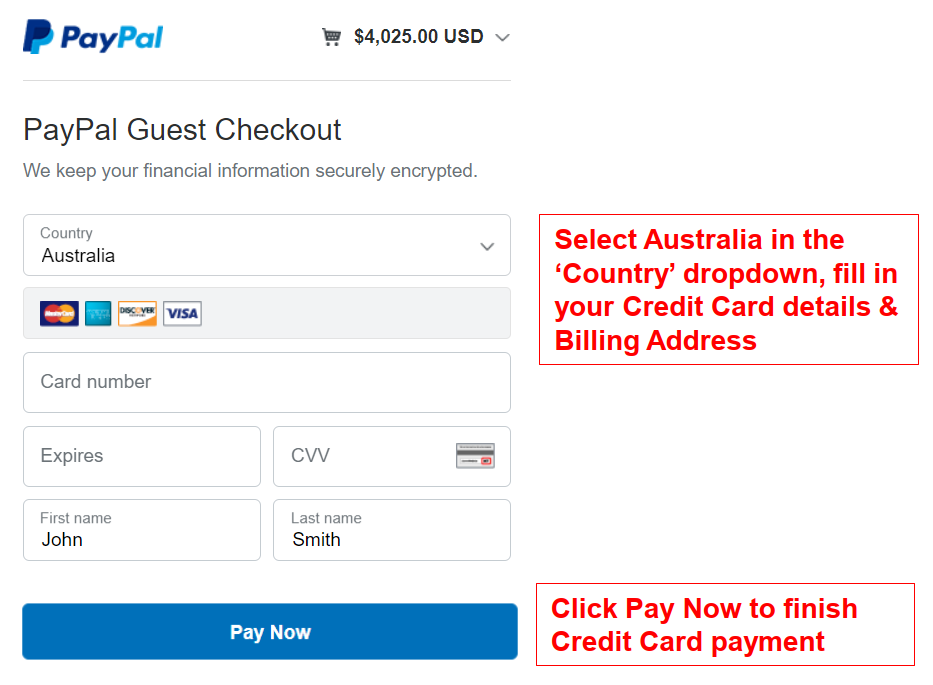
Option 2: Pay using Credit Card
Choose this option if you are not registered with PayPal, and wish to pay using any credit or debit card. You will see the supported credit cards below the country, which is dependent on the region or country you are based in.
Important Note:
During final confirmation, you will be prompted with the option to use either your local currency (i.e. AUD, MYR, SGD) or in the original invoice currency (i.e. USD or HKD).
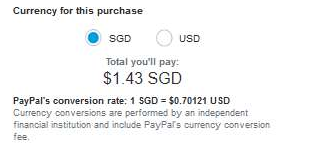
By default, PayPal will try to convert and charge you in local currency (i.e. SGD, AUD, etc.) instead of using the e-invoice currency. The exchange rate is set by PayPal in this case (which normally is about 2-3% over the mid-market rate). If you choose using the e-invoice currency, then the exchange rate is decided by your credit card issuing bank. Based on the feedback from our customers, usually, the bank rate is slightly better than the PayPal rate. However, in this case, you are not able to see the actual exchange rate and is only able to find out after your bank bills you.
If you have multi-currency debit cards like Youtrip, Revolut or Transferwise, we suggest you use them for payment and choose the e-Invoice currency to take advantage of their exchange rate.
Issues with Credit or Debit Card Payment
If your payment fails, there are several possible reasons that could cause this. Please refer to this article to find out more: https://imrsasia.com/credit-card-payment-issues/
For Bank Transfer
You may also use bank transfer to make the payment. Please find the bank transfer details here: https://imrsasia.com/bank-transfer/